Inside the SketchMath Teacher Dashboard
Build assignments from scratch or straight from an AI chat, then see exactly where every student is stuck.
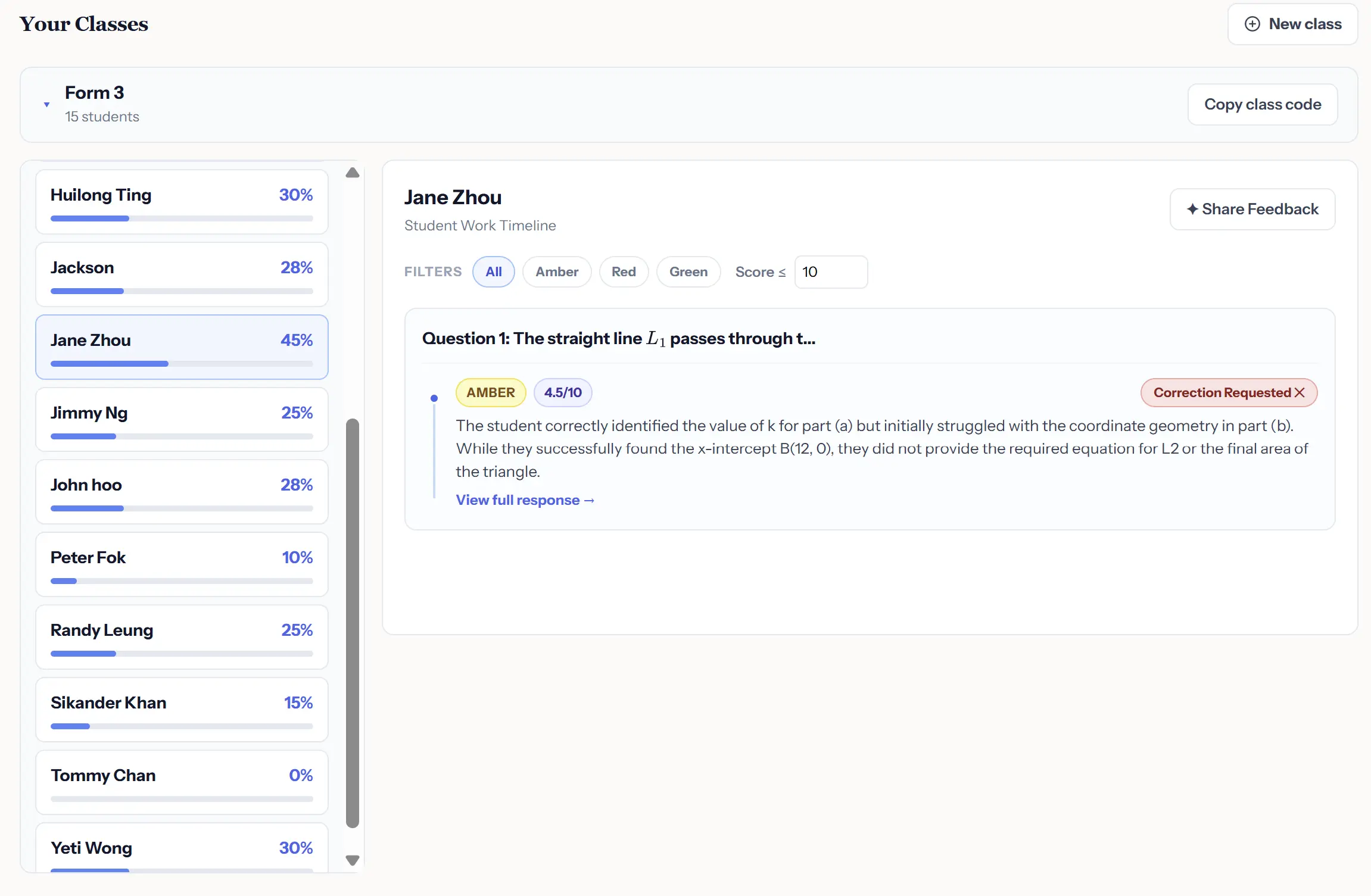
Building DSE practice and actually seeing where a class is stuck are usually two different tools. SketchMath's Assignment Builder and Teacher Dashboard keep both in one place, from writing the question to reading exactly how a student reasoned through it.
Two Ways to Build an Assignment
- Upload your own question and answer — type or paste the text, attach 2D or 3D images if needed, and SketchMath auto-generates a matching GeoGebra diagram, browser-verified before it's attached.
- Pull a question straight out of an AI chat session — if a chat has already generated a custom question and diagram, add it to an assignment directly without re-typing anything.
Once an assignment is ready, send it to a class in one step, clone it for reuse next term, or share it with another teacher by email. Generated questions can also be exported to Word (.docx) if you need a printable copy.
What the Dashboard Shows Per Student
- A completion-progress ring and an overall accuracy rate for the assignment.
- A per-question breakdown with a green / amber / red flag, so you can spot problem questions across a whole class at a glance.
- A "Correction" toggle you can flip on any question to flag it for a student to redo.
- A full chat-transcript viewer, so you can see exactly how a student worked through a question, not just whether they got it right.
FAQ
How do I add questions to an assignment?
Type or paste your own question and answer (with optional images), or pull a question directly out of an AI chat session.
What do the color flags mean?
Green, amber, or red on each question gives you a quick read on correctness across the whole class before you dig into individual attempts.
Can I see how a student actually worked through a question?
Yes — the dashboard includes a chat-transcript viewer for each attempt.
Can another teacher use an assignment I built?
Yes, by cloning it for your own reuse or sharing it directly with another teacher by email.
The Assignment Builder and Teacher Dashboard are available now inside your SketchMath teacher account.