The Math Behind Mouse Acceleration Curves
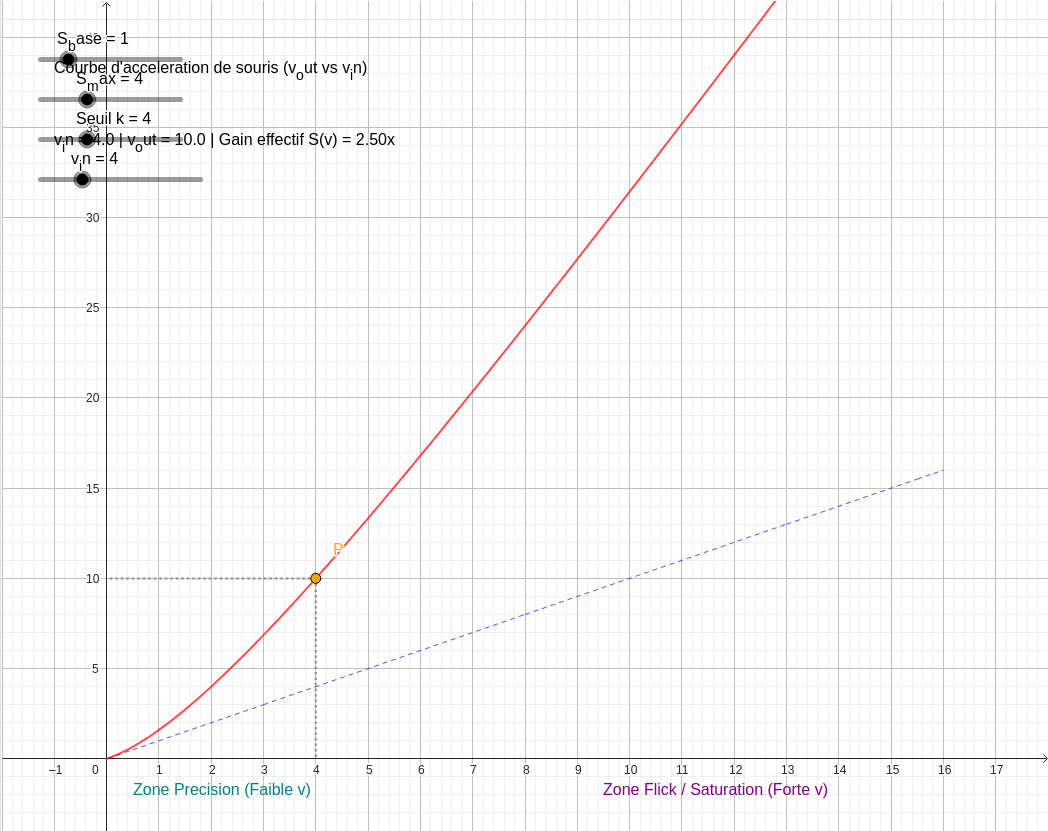
Question: What is the math formula behind a custom mouse acceleration curve (RawAccel, Custom Curve Pro)?
What Is a Mouse Acceleration Curve, Mathematically?
Tools like RawAccel and Custom Curve Pro let a gamer or designer replace a mouse's fixed sensitivity with a function: instead of cursor speed being a constant multiple of hand speed, it becomes
, where
is a sensitivity multiplier that itself depends on how fast your hand is moving. Design a good
, and you get pinpoint precision at low speed and fast, confident big movements at high speed — all from one continuous curve. This is a real application of three classic function families from precalculus: rational, sigmoid, and exponential saturation growth.
Model 1: Rational Saturation Growth
The simplest bounded-growth model blends a base sensitivity with a ramp that flattens out as speed increases:
Multiplying through by
gives the full output-speed function:
Here
is the speed at which the curve has closed half the gap between
and
. As
,
— the curve is tangent to a straight line through the origin, giving stable, predictable micro-adjustments at low speed. As
,
: a horizontal asymptote that caps how sensitive a fast flick can ever become.
Model 2: Sigmoid (Logistic) Growth
When you want the transition itself to be sharp and centered around a specific speed — rather than smoothly ramping from the start — a logistic function is the natural choice:
is the inflection point (the speed where the curve is steepest and switches from concave-up to concave-down), and
controls how abrupt that switch is. A small
gives a gentle, almost-linear ramp; a large
approximates a step function.
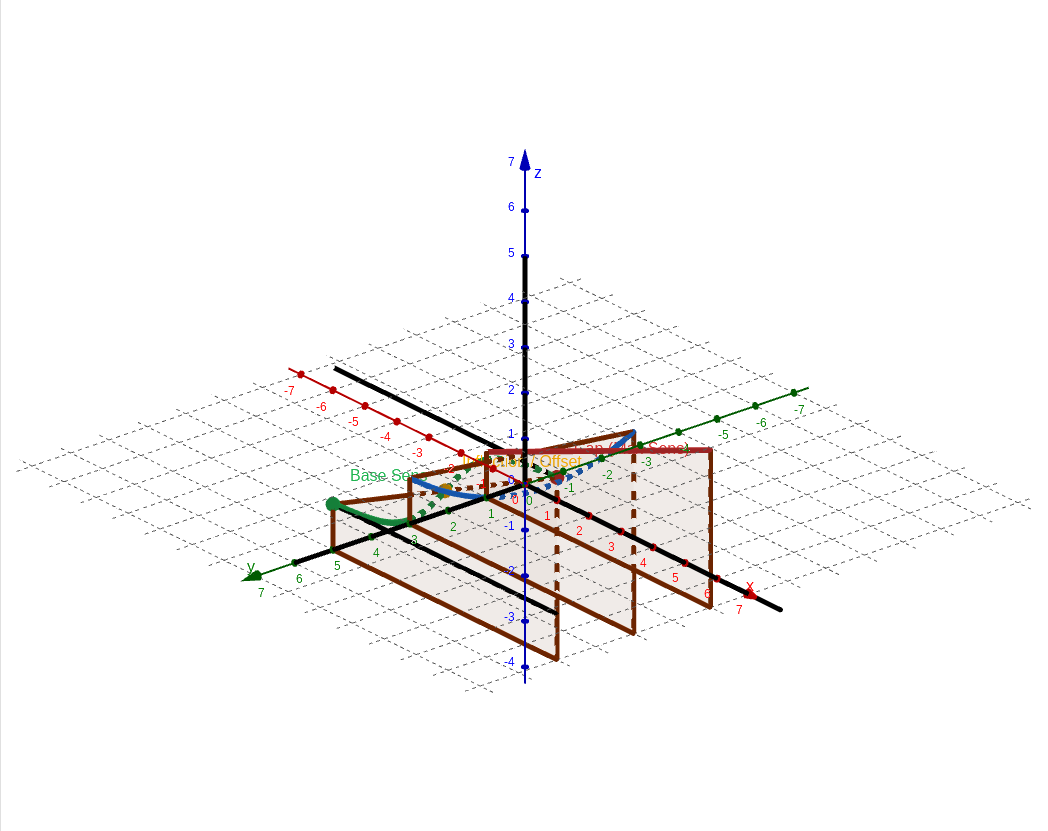
Because
and
can each be varied continuously, this single formula defines an entire surface of possible curves — every point on it is one valid acceleration profile, and the three highlighted lines above are just three named archetypes along it.
Model 3: Exponential Saturation ("Natural" Growth)
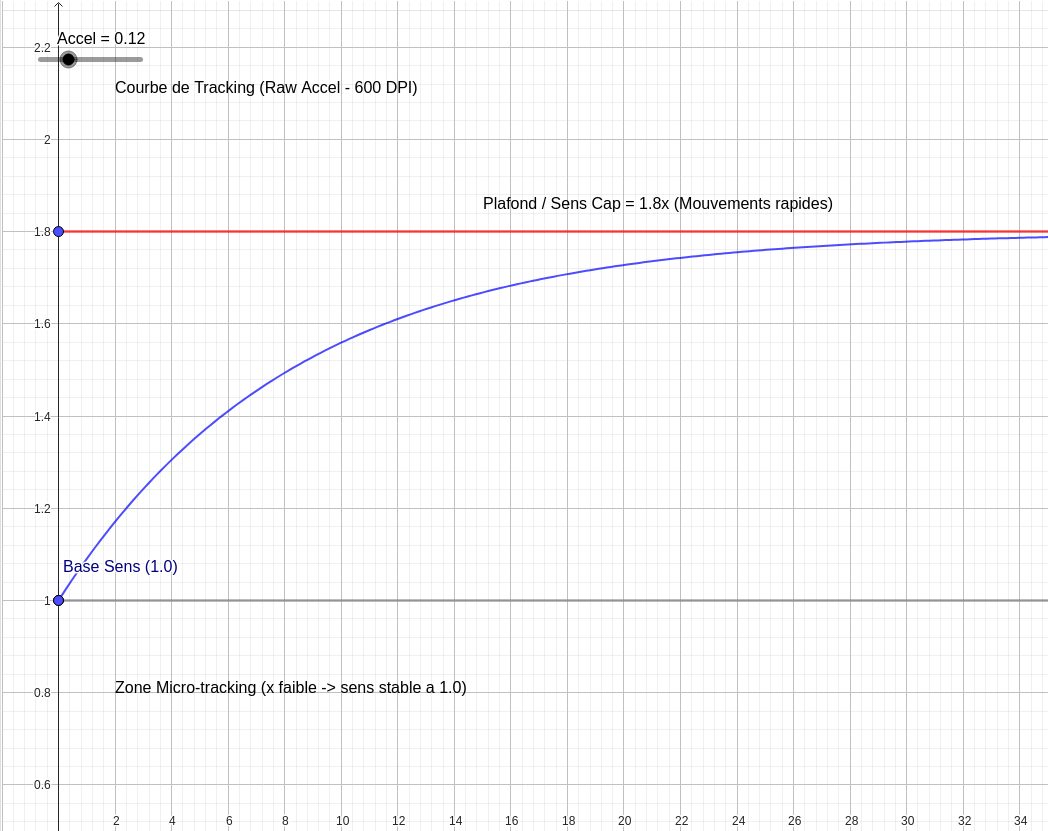
The third common family skips a separate base term and grows directly from a starting multiplier of 1:
This is the same exponential-decay shape used to model charging capacitors or radioactive decay, just flipped to grow toward a ceiling instead of decaying toward zero. Its derivative,
, is largest at
and shrinks smoothly — so the curve rises fastest right away and eases into its
asymptote, with no sharp corners anywhere.
The Three Zones Every Acceleration Curve Shares
- Micro-precision zone (small v): the curve sits near (or 1.0), so tiny hand movements stay tiny on screen — critical for fine aim.
- Transition zone (mid v): the curve's slope is largest here; this is where the choice of function family (rational vs. sigmoid vs. exponential) actually changes how the curve feels.
- Saturation / cap zone (large v): the curve flattens toward its horizontal asymptote or , so a fast full-arm swing turns into a large but bounded, controllable on-screen movement.
Try It Yourself
Every curve on this page was generated and graphed live in SketchMath — describe the function you want in plain English (or paste in your own
formula), and it renders as an interactive, draggable graph you can tune before exporting the numbers into RawAccel, Custom Curve Pro, or any other acceleration tool.